Features
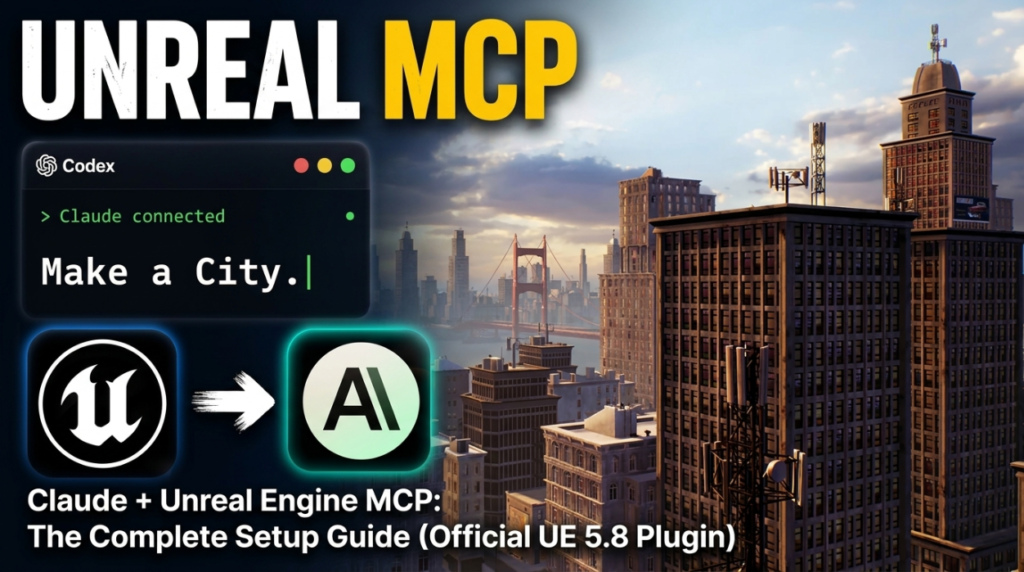
You can now type “spawn a BP_Enemy at the player start” into Claude and watch it happen in your Unreal Editor viewport. Not through a code generator that hands you a script to paste — through a live connection to the running editor.
As of Unreal Engine 5.8, this is an official Epic Games feature. There is a first-party Model Context Protocol plugin shipped with the engine, and an official Epic-maintained plugin for Claude Code that exposes hundreds of tools across 30+ toolsets.
This guide covers what it actually is, how to set it up, what it can and cannot do, and the security implications Epic themselves are blunt about.
What is MCP, in one paragraph
The Model Context Protocol is an open standard for connecting AI assistants to external tools. Instead of an AI writing code you then run yourself, MCP lets the AI call functions directly in a running application and read the results back.
For Unreal, that means Claude is not guessing what your level contains. It queries the editor, gets real actor names and properties back, and acts on them. The distinction matters enormously in practice.
Watch it work first
Setup walkthrough covering Epic’s official Unreal Engine MCP across Claude Code, Cursor, Codex and Gemini.
The official route: Unreal Engine 5.8
If you are on 5.8, use this. It is first-party, maintained by Epic, and requires no C++ compilation.
Step 1 — Enable the plugin
Open Edit → Plugins, search for Unreal MCP, and tick Enabled. It depends on the Toolset Registry plugin, which enables automatically. Restart the editor when prompted.
Step 2 — Configure auto-start
Go to Edit → Editor Preferences → General → Model Context Protocol and enable Auto Start Server.
The server binds to http://127.0.0.1:8000/mcp every time the editor launches. Without this you have to run ModelContextProtocol.StartServer in the console manually each session.
Step 3 — Generate the client config
In the editor console, run:
ModelContextProtocol.GenerateClientConfigThis writes a .mcp.json file with a single unreal-mcp entry pointing at the local server. Check the log output to see where it landed.
Step 4 — Start your agent from the project root
This part trips people up. The .mcp.json location matters, and Unreal’s integrated Terminal panel starts sessions in FPaths::RootDir() — which is the workspace root in source builds but the engine installation directory in installed builds.
An explicit cd to your project root makes the setup portable. Then start Claude Code, Cursor, or your agent of choice from there.
Step 5 — Verify the connection
Ask something simple that requires editor context, such as what actors are currently in the level. If it answers with real names from your scene, the connection is live.
Epic’s official Claude Code plugin
Separately from the engine plugin, Epic maintains Unreal Engine Skills for Claude Code. This is where the capability gets serious.
It exposes hundreds of tools across 30+ toolsets via Unreal’s ToolsetRegistry:
- Actors — spawn, transform, query, delete
- Blueprints — create classes, add components, edit graphs, compile
- Materials — author materials and instances
- Niagara — configure VFX systems and emitters
- Control Rig — rigging setup
- Sequencer — script cinematics and montages
- State Trees and Gameplay Ability System
- UMG widgets — build UI
- Automation testing — run test suites
How it avoids blowing up your context window
This is a genuinely smart bit of engineering worth understanding.
Registering hundreds of tools upfront would consume enormous context. Instead, tool search is enabled by default and the server exposes just three meta-tools: list_toolsets, describe_toolset and call_tool.
Claude discovers toolsets on demand, the prompt cache stays warm, and discovered tools are callable on the same turn through call_tool. You can toggle this with the bEnableToolSearch setting if you want everything registered upfront.
The SessionStart hook
The plugin includes a hook that auto-detects Unreal projects — including engine source trees — and injects context so Claude defaults to UE conventions: UObject patterns, Slate UI, UHT reflection macros. It runs on startup, resume and clear.
In practice this is the difference between Claude writing generic C++ and Claude writing code that compiles in Unreal.
Setup
Enable the ModelContextProtocol and AllToolsets plugins in the editor, then run ModelContextProtocol.StartServer in the console. Once connected, prompts like these work directly:
- “Spawn a BP_Enemy at the player start location”
- “Create a material instance from M_Base with roughness set to 0.3”
- “Add a Niagara emitter to the campfire actor”
- “Set up a montage in Sequencer for the intro cutscene”
- “Run the automation tests for the inventory system”
If you are not on 5.8 yet
Several community projects predate the official plugin and still work. They fall into two architectural camps.
C++ plugin + Python server
chongdashu/unreal-mcp is the most established. A C++ plugin runs a TCP server inside the editor on port 55557, and a Python MCP server built on FastMCP connects as a client, translating MCP requests into TCP commands.
It covers actor management, Blueprint creation and editing, Blueprint graph manipulation and viewport control. There is a UE 5.5 starter project with the plugin preconfigured.
The project describes itself as EXPERIMENTAL, with the API and implementation subject to significant change. Take that at face value.
Remote Control API, no plugin
The alternative approach uses Unreal’s built-in Remote Control API, an HTTP server running inside the editor on port 30010. No C++ compilation required, which makes setup dramatically faster.
Servers in this category typically expose tools like call_function, get_property, set_property, search_assets and describe_object. You need the Remote Control plugin enabled and Unreal running before starting the server.
Which to pick
| Situation | Use |
|---|---|
| On UE 5.8 | Epic official plugin, no question |
| Need Blueprint graph manipulation on 5.5–5.7 | chongdashu (C++ plugin) |
| Want fastest setup, no compilation | Remote Control API server |
| Using Claude Code specifically | Epic official Claude Code plugin |
The security section you should not skip
Epic’s own documentation is unusually direct about this, and it deserves quoting rather than paraphrasing:
Installing this plugin gives Claude broad, live access to the running Unreal Editor. Treat that access the same way you would treat running arbitrary code from an assistant, because in practice it is.
They follow it with an equally important line: “Localhost is not a trust boundary.”
The server binds to localhost:8000 with origin validation, but that is not the same as being safe by default. Practical implications:
- Use source control. Commit before any significant agent session. This is the single most useful precaution.
- Do not run it against a production project you cannot restore.
- Review what it did. The agent can delete actors and modify assets as easily as it creates them.
- Be aware other local processes can reach it. Localhost binding limits remote access, not local.
The constraint that will bite you
One technical detail from Epic’s documentation is worth understanding before you start:
A key function of the MCP server is to synchronize external requests with the Unreal Engine game thread by executing Tool invocations on the game thread serially, meaning clients should not issue overlapping Tool calls.
In plain terms: tool calls run one at a time on the game thread. Asking an agent to do fifty things in parallel will not work, and large batch operations will feel slow because each one waits its turn.
Structure requests sequentially. “Build a city with 4,000 objects” is possible, but it is not going to be instant.
What this is genuinely good for
Blockout and greyboxing
Describing a level layout and having it assembled is dramatically faster than placing actors by hand. The output is not final, but blockout is not supposed to be.
Repetitive editor work
Renaming, retransforming, bulk property edits across many actors, generating material instance variations. Tedious work that is easy to describe and boring to perform.
Learning the engine
Asking “what actors are in this level and how are they organised” and getting a real answer about your project is a genuinely good way to understand an unfamiliar codebase or inherited project.
Automation test runs
Triggering and interpreting automation test suites conversationally removes a lot of friction from a workflow most people avoid.
What it is not good for
Being honest about the limits matters more than the hype.
- Final art. Procedurally spawned geometry looks procedurally spawned.
- Complex gameplay logic. Blueprint graph manipulation works, but debugging AI-authored graph spaghetti can cost more time than writing it yourself.
- Anything you cannot verify. If you do not know what correct looks like, you will not notice when it is wrong.
- Replacing engine knowledge. The agent is faster at execution, not at judgement.
Frequently asked questions
What is Unreal Engine MCP?
Model Context Protocol support that lets AI assistants such as Claude control a running Unreal Editor through natural language. As of Unreal Engine 5.8 it ships as an official Epic Games plugin that binds a local server to http://127.0.0.1:8000/mcp.
How do I connect Claude to Unreal Engine?
On UE 5.8, enable the Unreal MCP plugin in Edit → Plugins, turn on Auto Start Server in Editor Preferences under Model Context Protocol, run ModelContextProtocol.GenerateClientConfig in the console to create a .mcp.json, then start Claude Code from your project root.
Does Unreal Engine MCP require C++ knowledge?
Not for the official UE 5.8 plugin, which requires no compilation. Some community servers such as chongdashu/unreal-mcp use a C++ plugin that must be built, while Remote Control API based servers avoid compilation entirely.
What can Claude actually do in Unreal Engine?
Through Epic official Claude Code plugin it can spawn and transform actors, create and edit Blueprints, author materials, configure Niagara VFX, set up Control Rigs, script Sequencer sequences, build UMG widgets, wire Gameplay Ability System logic and run automation tests.
Is Unreal Engine MCP safe to use?
Epic warns directly that installing it gives the assistant broad, live access to the running editor, and that it should be treated like running arbitrary code. They also note that localhost is not a trust boundary. Use source control and commit before agent sessions.
Can I run multiple MCP tool calls at once?
No. Tool invocations execute serially on the Unreal game thread, and clients should not issue overlapping calls. Structure requests sequentially rather than in parallel.
Which Unreal Engine versions support MCP?
Official support arrives in UE 5.8. Community servers exist for earlier versions, with chongdashu targeting 5.5 and various Remote Control API servers supporting 5.3 through 5.6 and above.
Official documentation and sources
- Unreal MCP in Unreal Editor — Epic official UE 5.8 documentation
- Unreal Engine Skills for Claude Code — Epic official plugin repository
- Model Context Protocol — the open standard specification
- chongdashu/unreal-mcp — community C++ plugin implementation
For more developer tooling, see our directory of Steam and indie development tools, our honest engine comparison, and our breakdown of a Godot occlusion shader and the design debate around it.