Features
Steam has the most generous refund policy of any major game store, and most people either do not know the rules or misremember them. Here is exactly how it works.
The two conditions that matter
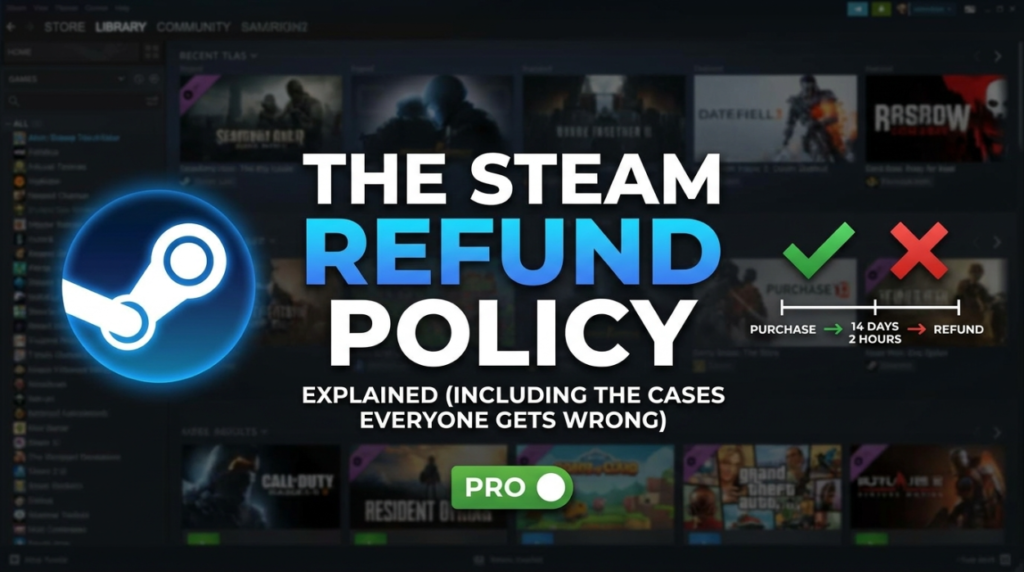
For a standard game purchase, you can request a refund for any reason if both of these are true:
- You bought it within the last 14 days
- You have played it for less than 2 hours
That is the whole rule. You do not need to justify it. “I did not like it” and “I bought it by accident” are both accepted, because Valve does not require a reason at all.
How to actually request one
- Go to help.steampowered.com and sign in
- Choose Purchases
- Select the game you want to refund
- Pick I would like a refund, then I would like to request a refund
- Choose where the money goes and submit
Most requests are processed within a few hours to a couple of days.
Where the money goes
You choose between your Steam Wallet (usually faster) or the original payment method (can take up to about a week to appear, depending on your bank or card issuer).
If the original method is unavailable, Valve typically refunds to the wallet instead.
The cases people get wrong
Pre-orders
You can refund a pre-order at any time before release, regardless of how long ago you bought it. Once the game launches, the standard 14-day and 2-hour window begins.
DLC
Refundable within 14 days if you have under 2 hours in the base game, but not if the DLC has been consumed, modified or transferred. Some DLC is marked non-refundable and says so before purchase.
Bundles
A bundle refunds as a whole unit. Your combined playtime across everything in it must be under 2 hours, so playing one game in a bundle for three hours can disqualify the entire thing.
In-game purchases
For participating games, in-game items bought through Steam are refundable within 48 hours provided the item has not been consumed, modified or transferred. This is a much shorter window than the 14-day rule.
Gifts
An unredeemed gift can be refunded by the purchaser. Once redeemed, a refund requires the recipient to make the request, and the money goes back to whoever bought it.
Steam Wallet top-ups
Refundable within 14 days as long as you have not spent any of that balance and it was purchased in the last 14 days.
Video and film purchases
Generally not refundable once viewed, which trips people up because it differs sharply from the game policy.
What about after 2 hours or 14 days?
You can still submit the request. It falls outside the automatic guarantee, but Valve reviews cases individually and does approve some — particularly where a game is broken, misrepresented, or does not run on your hardware.
Be specific about the actual problem rather than writing an essay. A clear technical description is far more likely to succeed than a complaint about quality.
Can you be banned for too many refunds?
You cannot be banned for using the policy as intended. However, Valve states plainly that it may stop granting refunds to an account it considers to be abusing the system — for example, repeatedly buying a game, finishing it in under two hours, and refunding it.
There is no published number that triggers this. Refund what you genuinely do not want, and you will not encounter it.
The 2-hour rule is why short games get refunded
This is worth understanding as a player and doubly so as a developer. A tightly designed 90-minute game sits entirely inside the refund window, which means the whole experience can be consumed for free.
Many excellent short games are priced low specifically to make refunding feel not worth the effort. A Game About Mowing Your Lawn states its 15 to 30 minute length openly and costs $4.99. That transparency is a deliberate response to the policy.
Frequently asked questions
What is the Steam refund policy?
You can request a refund for any reason on a game bought within the last 14 days with under 2 hours of playtime. No justification is required.
Can I refund a game after 2 hours on Steam?
It falls outside the automatic guarantee, but you can still submit a request and Valve reviews cases individually. Requests citing specific technical problems or misrepresentation succeed more often than complaints about quality.
How long do Steam refunds take?
Approval usually takes a few hours to a couple of days. Refunds to Steam Wallet appear quickly, while refunds to a card or bank can take up to about a week depending on the provider.
Can you get banned for refunding too many games on Steam?
You cannot be banned for using the policy normally, but Valve may stop granting refunds to an account it considers to be abusing the system, such as repeatedly completing short games within the two-hour window and refunding them.
Can I refund a Steam pre-order?
Yes, at any point before the game releases, regardless of when you pre-ordered. After release the standard 14-day and 2-hour rules apply.
Are Steam DLC and in-game purchases refundable?
DLC is refundable within 14 days if you have under 2 hours in the base game and the DLC has not been consumed or transferred. In-game purchases in participating games have a shorter 48-hour window.
For more Steam guidance, see our directory of Steam tools and our guide to whether cheap Steam keys are safe.